Introducing rlx: talk to your manager, then relax
We are launching rlx. You tell its manager the goal in plain words, and it runs your Claude Code and Codex agents for you.

Contents · 6 sections
Today we are launching rlx: a manager for your AI coding agents. Type rlx and you get one full-screen terminal view of your projects and their agents, Claude Code and Codex. You tell the manager what you want in plain words. It plans the work, starts the coders, testers and reviewers, and keeps them going until the goal is met. You get to relax.
Why we built it
Coding agents do their best work where the code already lives: in the repository, next to the tests, git and the build. Running one agent there is easy. Running several on one project is where the work lands back on the person at the keyboard. Someone has to split the goal into tasks, keep two agents off the same files, check what came back, and watch how much of each account's allowance is left.
We wanted that load off our desks. rlx gives it to a manager: an agent whose whole job is to turn your goal into finished, reviewed work, while you do something else.
You talk to the manager
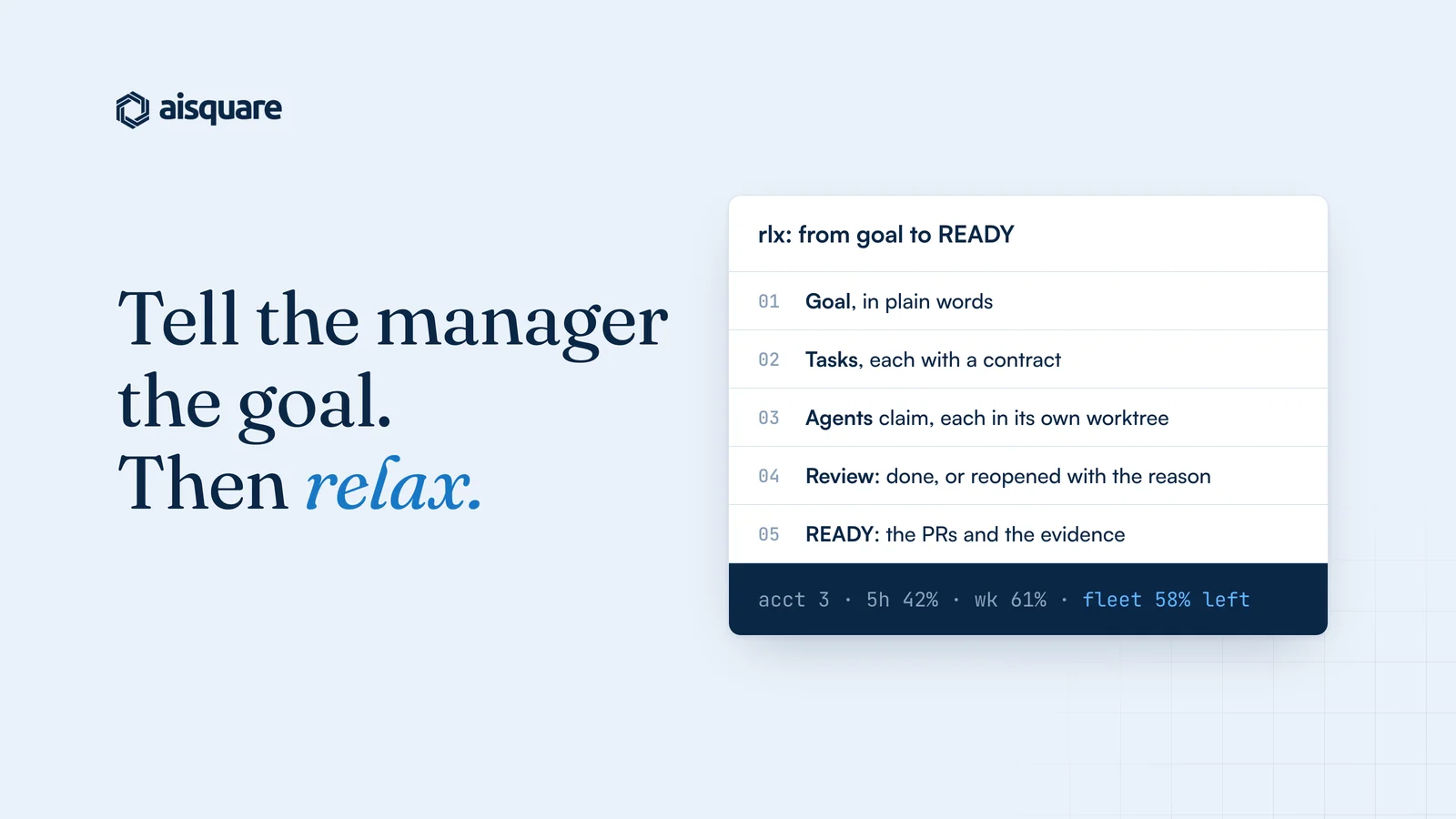
You start with a goal, in the words you would use with a lead. The manager plans the work and writes each task with a contract: the objective, why it matters, what is known, the acceptance criteria and the boundaries. The contract travels with the task, so nobody has to guess what done means. Adding a task again while it is still open gives you the original instead of a duplicate.
Then it spawns the team: coders, testers, reviewers and validators, as the plan needs them. Coders claim tasks from a shared board, and a claim is atomic, so exactly one agent wins it. Each coder and reviewer gets its own git worktree, so two coders never edit the same files.
Finished work goes to review. A tester or reviewer checks the evidence, and the task closes as done or is reopened with the reason it failed. When the goal is met, the manager ends with a READY note: the pull requests and the evidence.
Two rules hold the whole time. The manager never writes code and never pushes. And it merges a pull request only when a person approved it on GitHub and every CI check on its head is green. The final call on what ships stays with you.
Headroom, handled
The thing that used to stop our agents most was not a bug. It was a usage limit in the middle of a task.
In rlx you add several accounts per agent, and it keeps every agent on an account with room. A new agent starts on the first account in your order that is under 85% used, or on the one with the most room when none is. When an agent hits a usage limit, it moves to another account with room and resumes its own session there, unless the limit lifts within 15 minutes. When every account of its own agent is full, it can start fresh on the other agent's, Claude Code to Codex or back, with a brief of the work.
You can also opt in to moving before the limit: at 85%, at the agent's next turn end, never mid-turn. Plans with only a weekly limit count too. One fleet line says how much allowance is left across all your accounts, and an opt-in status line shows the same inside every Claude Code session, like acct 3 · 5h 42% · wk 61% · fleet 58% left (3×) · ctx 34%.
The result is the part we care about: as long as the pool has headroom, nobody waits.
Real sessions, not a re-rendered chat
Click any agent in rlx and you are inside its real Claude Code or Codex session, typing at it directly. Nothing is relayed or redrawn as a chat, so what you see is exactly what the agent sees. Press F12 to hand focus back to the sidebar, w to return to Welcome, and q to quit. The agents keep running when you quit, and the next rlx re-attaches to them. Pause all and Resume all keep each agent's task, worktree and session, so stopping the spend never loses the work.
A few things worth noticing
- Receipts. Every board write, such as a claim, a note or a review, prints a receipt number, and
rlx team verify <seq>re-checks that it is really on the board. - A watcher with no model. It wakes the manager only when something is new: a dialog, a question, a limit, a crash, a stalled agent, or pull request changes if you turn that on.
- Memory across sessions.
rlx rememberkeeps your preferences and each project's conventions, so every new session starts oriented instead of cold. - Everything is also a command.
rlx fleet ls,rlx board -w,rlx accounts usage,rlx doctorand the rest all take--json, for your scripts and for the agents. - Local-first. One SQLite file on your machine, with no daemon and no cloud dependency. rlx is MIT licensed.
Try it
On macOS, Linux or WSL2, one line installs only what is missing (uv, its own Python, rlx, tmux, gh, git and Claude Code) and ends by offering to open rlx. Running it again changes nothing.
curl -fsSL https://aisquare.studio/rlx/install.sh | sh
On Windows, run irm https://aisquare.studio/rlx/install.ps1 | iex in PowerShell, and it runs the same installer inside WSL2. rlx runs Claude Code and Codex: if an agent is missing, Welcome names the install command.
rlx opens on Welcome, three steps to a running fleet: pick the project, connect your coding agent, then start the manager and the coders. Type your goal to the manager, and relax.
You can drive a sketch of the whole thing in your browser on the rlx page, and the rlx docs cover install, accounts, the board and every command.
Get your agents into production
AISquare captures the reasoning behind every agent decision, enforces your rules on every run, and keeps a record your risk team can check.